Google workspace threatening to block firefox
At the time of writing (2026-06-18), Google Workspace appears to be starting to warn users from Firefox that they must use Chrome. This was for a Google Workspace Business Plus account and workspace, from an up to date browser and OS.
At this time, Firefox access still seems to work but I’ve no idea for how long.
| 📝 Update as of 15:31Z 2026-06-18 | Google support called and claim this will only happen for admins trying to access https://admin.google.com and that it isn’t blocking, it’s just a recommendation. They said they will not be documenting this publicly |
|---|---|
| 📝 Update as of 15:30Z 2026-06-22 | Google support did an internal escalation and said you can find out what caused this alert by going to https://admin.google.com/ac/sc/investigation and selecting Context-aware access log events whih=ch will then tell you what the user was doing, and why they got the prompt. In this case, it was “User warned (security advisor)” because of “NON_CPR_OTHER_BROWSER” due to the interaction with “Prevent access from unsafe devices” on https://admin.google.com/ac/context-aware/security-advisor?journey=218 . I’m still unimpressed that Google officially consider non-Chrome insecure and scare users towards using Chrome for a paid product. |
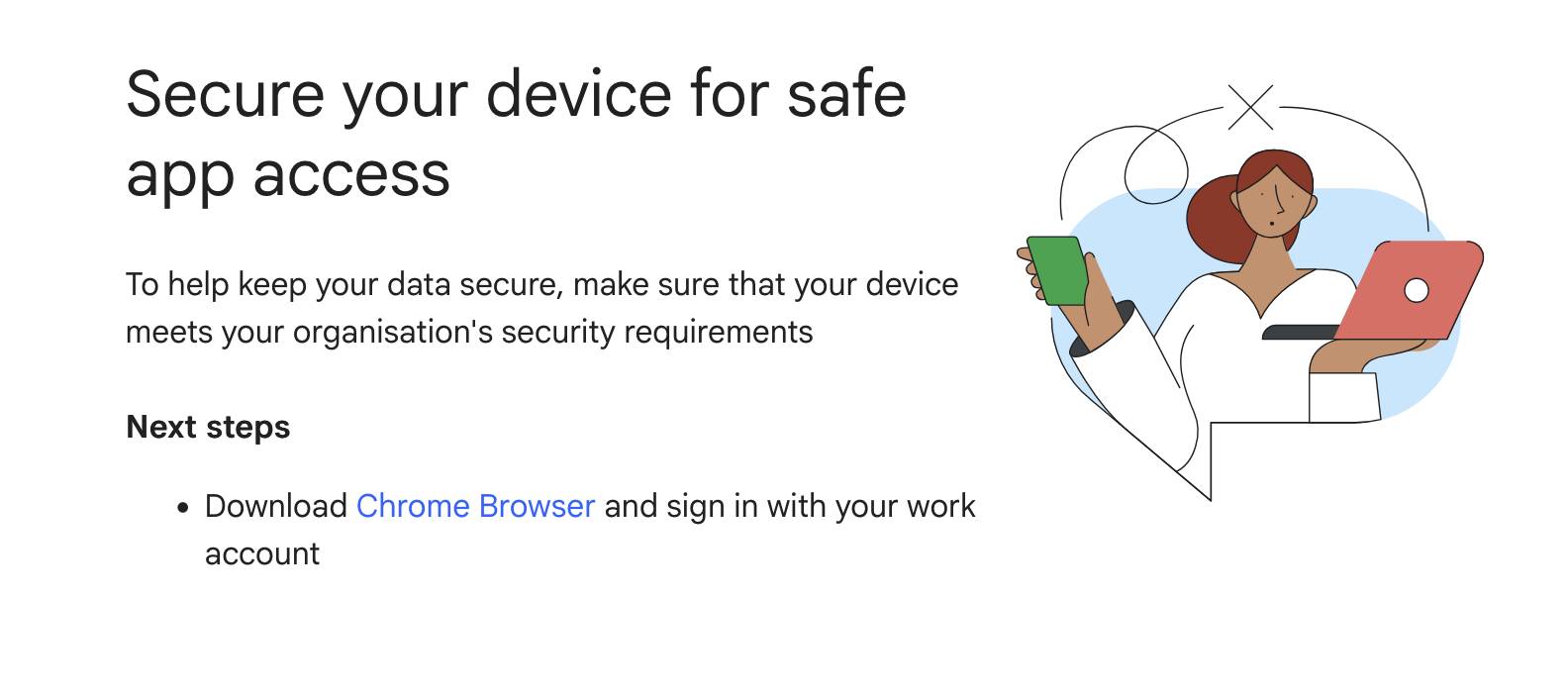
Specific warning
Icon indicating that the user may soon lose their access to their account.
Secure your device for safe app access
To help keep your data secure, make sure that your device meets your organisation's security requirements
Next steps

    Download Chrome Browser and sign in with your work account
This was from a webpage with url https://access.workspace.google.com/remediate?urlparams=REDACTED
Screenshot below
Response from Google support
Absolutely nothing useful, repeatedly transferred around and took ages.
«««< HEAD «««< Updated upstream =======
Emailed update from their support after they called me
I’m publishing this in full, none of this actually addresses the issue or answers anything I asked on the call
Emailed update from their support
I’m publishing this in full, none of this actually addresses the issue
[redacted personal information about myself and the support staff]
I appreciate you accepting my call earlier.

To ensure your users have the best, most secure, and feature-rich experience with Google Workspace services, it's crucial to use up-to-date, compatible web browsers. Using supported browsers provides access to the latest features and offers improved security and performance.

Here are the browsers compatible with Google Workspace:

    Google Chrome: We recommend and fully support the latest version of Google Chrome. Chrome typically updates automatically, ensuring access to all Google Workspace features and functionality.

    Mozilla Firefox: Google Workspace works well with Firefox. We support the current and the previous major version. Please note that Firefox does not currently support:
        Offline access to Gmail, Google Calendar, Google Docs, Sheets, and Slides.
        Client-side encryption in Google Meet.

    Apple Safari: Google Workspace also works well with Safari. We support the current and the previous major version. Safari does not currently support:
        Offline access to Gmail, Calendar, Docs, Sheets, and Slides.
        Desktop notifications in Gmail.

    Microsoft Edge: Google Workspace works well with Microsoft Edge. We support the current and the previous major version.

Key Recommendations:

    Keep Browsers Updated: Always encourage users to run the latest versions of these supported browsers. For Firefox, Safari, and Edge, when a new browser version is released, we begin supporting that version and stop supporting the third most recent version.
    Enable Cookies and JavaScript: To use Google Workspace effectively, ensure that both cookies and JavaScript are enabled in the browser settings.
    Unsupported Browsers: While some functionality might work on older or unsupported browsers, we cannot guarantee full feature availability or performance. Users may encounter issues or find some applications do not open correctly.
    Mobile Access: For the best experience on mobile devices (Android, iPhone, and iPad), please use the dedicated Google Workspace mobile applications, which are built specifically for these platforms.

By following these guidelines, your organization can maximize the benefits and security offered by Google Workspace.

For future reference, please check and review these articles:
Supported browsers for Google Workspace | Support & troubleshooting | Google Workspace Help
Service-specific Google Workspace requirements | Support & troubleshooting | Google Workspace Help

Should you have any further questions, we'd be happy to provide assistance. This case will be closed in the next 3 business days, you can always reply to this message within the next 30 days and the case will reopen.

Thank you for choosing Google Workspace, and I hope you have a wonderful day!

Kind regards,
[redacted]
Why do I care?
My team need to make sure that their software works in multiple browsers, and I personally prefer using firefox and don’t want to be forced to use Chrome for no discernable benefit.
Okay, but didn’t your admin configure $enterprise_feature
Sadly not, I’m the admin and can confirm the following
- We haven’t configured, and don’t use IAP (Identity Aware Proxy) - I’ve used this before and yes that is Chrome only due to how it does device verification
- This isn’t because of “Context Aware Access” this is an enterprise only feature, and we’re on
Google Workspace Business Plus